🔧 The developer beta is live — free for developers. Flash your own ESP32-S3 and test it. Learn more →

🔴 BETA — You are the red team

Developer Beta

You build it. We activate it.

29 September 2026 — free for all beta participants.

The beta is for developers and security researchers who want to test the architecture, integrate the protocol, or give feedback before public launch.

The full rules of engagement, the safe harbour and the reporting SLAs are on the beta and red-team rules page.

What you need

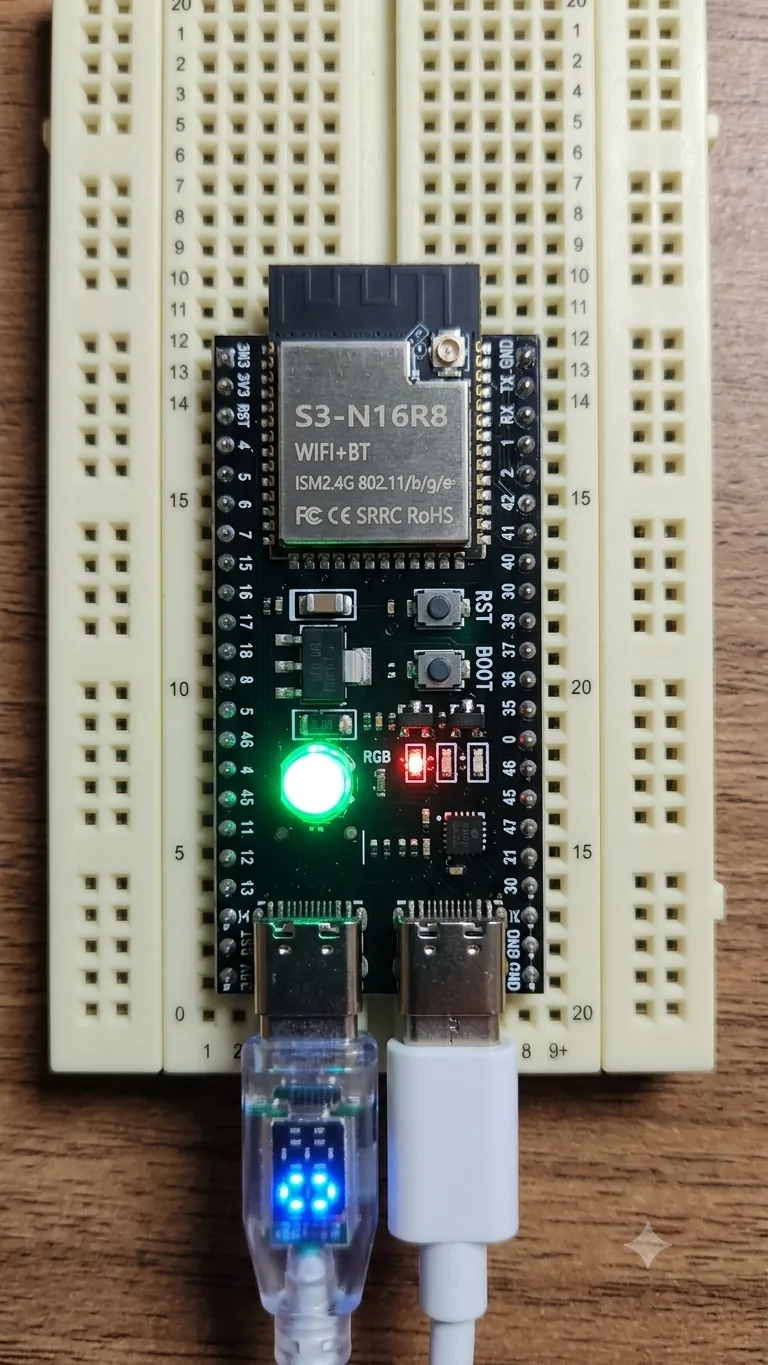
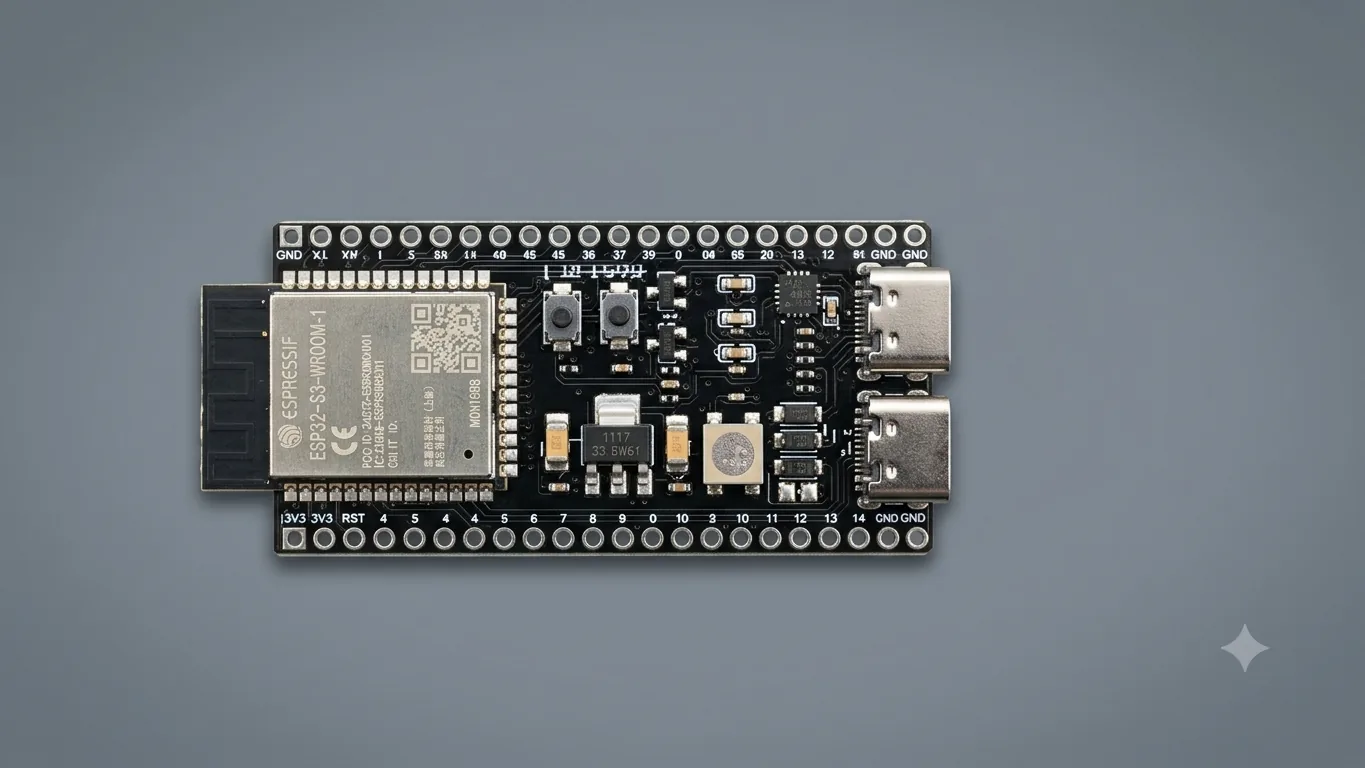
We do not ship hardware during the beta. You source the ESP32-S3 yourself. That is intentional — the whole point is that a commodity chip, with the requirements above, becomes a Crypt-in dongle.

Hardware of the beta

Beta dongles run the -dev firmware track. Unlike production dongles, eFuses are not burned: Secure Boot v2 and Flash Encryption are not activated on beta hardware.

This means two things, and we would rather say them first.

The beta dongle is fully reversible. If you decide not to continue, flash any other firmware and the board goes back to being a standard ESP32-S3.

It also means less protection, not just fewer constraints. On -dev the flash is in the clear, so the seed can be pulled with an SPI dump, and the dongle answers CMD_GET_SECRET (0x04) after the PIN: it returns the dongle's file_secret, from which the key of every file that dongle has encrypted can be derived — the per-file salt is in the clear in the header. A beta dongle protects your files from a stolen laptop, not from someone who has the dongle in hand. Do not put data on a beta dongle that you would not want readable by someone with physical access and an SPI flash reader. What carries over to the shipped product and what does not is spelled out in the flash guide and the security model.

On expiry — the honest version. The beta programme ends on 31 March 2027, and beta licences are dated to that day — a fixed date, not a duration from activation. If the beta continues past it, every beta licence is renewed free of charge, through the standard renewal process. But the dongle has no clock: a beta dongle you have already set up keeps decrypting your existing files offline even after that date. You never lose access to what you have encrypted. What ends on our side is the ability to activate or transfer a beta licence.

Production dongles (Kit Standard, Kit Pro — April 2027) will have eFuses burned at first boot, Secure Boot v2 and Flash Encryption active, exactly as described in the security model.

You are the red team

Every Crypt-in beta participant is officially part of our security program — for everything that is yours: your dongle, your flash, the firmware binary, your USB traffic, your client, your files.

Before this beta we ran three red team sessions using Claude Opus 5, with full source access, DnSpy, admin rights and a live dongle. We published everything — every attack, every byte of response, every finding.

Read the full red team report →

Your mission

During the beta the licence server is not your target — you connect to production only to use the product. Server-side red-teaming is a separate track, with target date 30 October 2026, now pending our own acceptance tests of the clone. See the red team rules.

Extracted a secret from a beta dongle? So can we — it is in the spec above, the key dies with the beta on 31 March 2027, and the whole point of the beta is to let you test everything else. Don't write to tell us you did it; we know. Do write if you pulled the seed off a Flash-Encryption-RELEASE chip — that one we would actually want to see: the extraction challenge.

What we want to hear

"I broke it" — tell us how.
"I couldn't break it" — tell us that too.

Both answers are valuable.

Finding acknowledgement

The most significant finding reported during the beta period will be acknowledged by name in the April 2027 public launch security report.

Three red team sessions ran before this beta — session 4 is this beta. The findings from the developer beta will be incorporated into the April 2027 public launch security report, alongside any fixes applied before launch.

Report security findings → security@lake8.dev

Known limitations

We tell you where the wall is low, so you know where to put the guard. Response times, the disclosure process and the PGP key are on the responsible disclosure page.

What you get — free for the entire beta

ItemBeta
Firmware — the -dev build, NOT signed; verify it with SHA256SUMS.txtFree
Windows client (Personal v1)Free
Licence activation (until 31 March 2027)Free
Automatic renewal if the beta continuesFree
Direct feedback channelinfo@lake8.dev

No credit card. No payment during the beta. Free automatic renewal while the beta continues; standard €30/year when the beta ends.

The host-side source is published as a beta since 17 October 2026 at github.com/jaffa2970/cryptin-sdk-beta — a separate release from this package, which still ships binaries and not source. No support, and no issues or pull requests during the beta. The firmware is not in that repository and stays closed source. Public too are the specifications: the HID protocol and the .crin format are documented in full, in enough detail to write an independent client.

How the beta licence works

Beta licence terms. There is an expiry — it renews itself free while the beta runs.

When the licence lapses, the app stops encrypting new files the next time it checks the licence online. The dongle has no clock, so expiry is not enforced offline: a machine that never goes online keeps encrypting. Decryption never depends on the licence — files you have encrypted stay readable forever.

Downloads

The beta package — one download

Everything you need to turn an ESP32-S3 into a Crypt-in dongle: the Windows client, the updater, the flashing tool and the firmware. This build talks to production — it is the product, not a sandbox.

cryptin-beta-2026-10-14-1131.zip

⬇ Download from GitHub →

SHA256: 640796c1167c4a416413f967d5b948a28289cd20abafd87995b67e6ed9bf2582

Current package: beta-2026-10-14, published 14 October 2026. It changes the app and the updater only — the firmware is byte-for-byte the one ofbeta-2026-10-13. If your dongle already runsbeta-2026-10-13, replace the app folder:nothing to flash, no transfer. If it still runsbeta-2026-09-24, update it from the new app's Transfer license. See the security advisory above.

The hashes of the files inside the archive are published separately, on purpose — so you can check them without having to trust the archive you just downloaded: SHA256SUMS.txt. Six OK lines. Five is not a pass.

What is in the archive

  • CryptinPersonal.exe — the Windows client — portable, nothing to install
  • CryptinUpdater.exe — the updater
  • esptool.exe — Espressif flashing tool, v5.3.1
  • firmware\firmware.factory.bin — the firmware — factory image, flashed at 0x0; sha256 f66a17cd7a03a13fa11e1e98babfface423d00e69114d1ae8b25526f9e94df9d; byte-for-byte the firmware of beta-2026-10-13
  • licenses\esptool-v5.3.1-GPL-2.0.txt — esptool licence
  • uart_cable.png — the diagram for step 1 of the UART recovery

The executables are not signed. Windows will say“Windows protected your PC” — More info → Run anyway. Do not run them as administrator: it bypasses nothing and makes the prompt worse. Windows 11 or later, 64-bit. Nothing to install.

How to flash →

The SDK and the Linux CLI are not part of this download. They are Apache-2.0 and their source is published, as a beta, at github.com/jaffa2970/cryptin-sdk-beta — a separate release. The CLI has no binary package and no date: source published, nothing to download yet.

By downloading this package you accept the beta and red-team rules and the perimeter they define. The rules are ours and we honour them; in return you stay inside them.

Full transparency: every component of the firmware and of the CLI is declared in the Software Bill of Materials → — SPDX 2.3, one document per artefact, published before the binaries shipped. The Windows client, Personal v1, has no SBOM of its own yet.

Updating from beta-2026-09-24

The new app and the new firmware go together: the new app does not encrypt with the old firmware, and the old app does not encrypt with the new firmware. Writing the new firmware reprograms the dongle from scratch, so the update is done from the new app'sTransfer license: in one pass it writes the new firmware, puts your 24 words back on the chip and moves your beta licence onto it.

  1. Have your 24 words in front of you. They are the only way back to the files you encrypted with the old firmware. Your PIN does not change: it comes from the words.
  2. Plug in both cables, the native USB and the UART. Open thenew app and click Transfer license. For What happened to the old dongle, choose It stopped working — for an update it is the closest answer. Enter the 24 words, then Program on the UART port. The app asks before it overwrites a chip that is already a dongle: answerYes.
  3. When it says Chip ready — one restart left, close the app and open it again. It offers to finish the transfer: say yes and unlock with your PIN. If no PIN box appears, unplug the native USB cable for ten seconds and plug it back in.
  4. The transfer uses one of the licence's three transfers a year. The expiry date does not change.

Files encrypted before the update stay in format version 1 and still open. Everything you encrypt from now on is version 2.

Lost the dongle rather than updating it? That is a different procedure — see recovery.

Getting started

  1. Buy an ESP32-S3 (~€5 on AliExpress, Mouser, Amazon)
  2. Download the beta package and verify the hashes before running anything — six OK lines
  3. Flash the firmware, which is in the package — flash guide
  4. Activate your free beta licence (valid until 31 March 2027, renewable)
  5. Start encrypting files

First boot generates your keys — on your hardware, in your hands. We never see your seed. The full sequence is documented.

Feedback

Beta testers get direct access to the developer.

Beta terms

Security testing

By participating in the Crypt-in beta, you acknowledge that:

By participating in the beta you accept the lake8.dev Terms of Service and Privacy Policy.